Opening Preferences
Open the Preferences dialog from View → Preferences in the menu bar, or use the keyboard shortcut:
- macOS: Cmd+, (Command+Comma)
- Windows / Linux: Ctrl+, (Control+Comma)
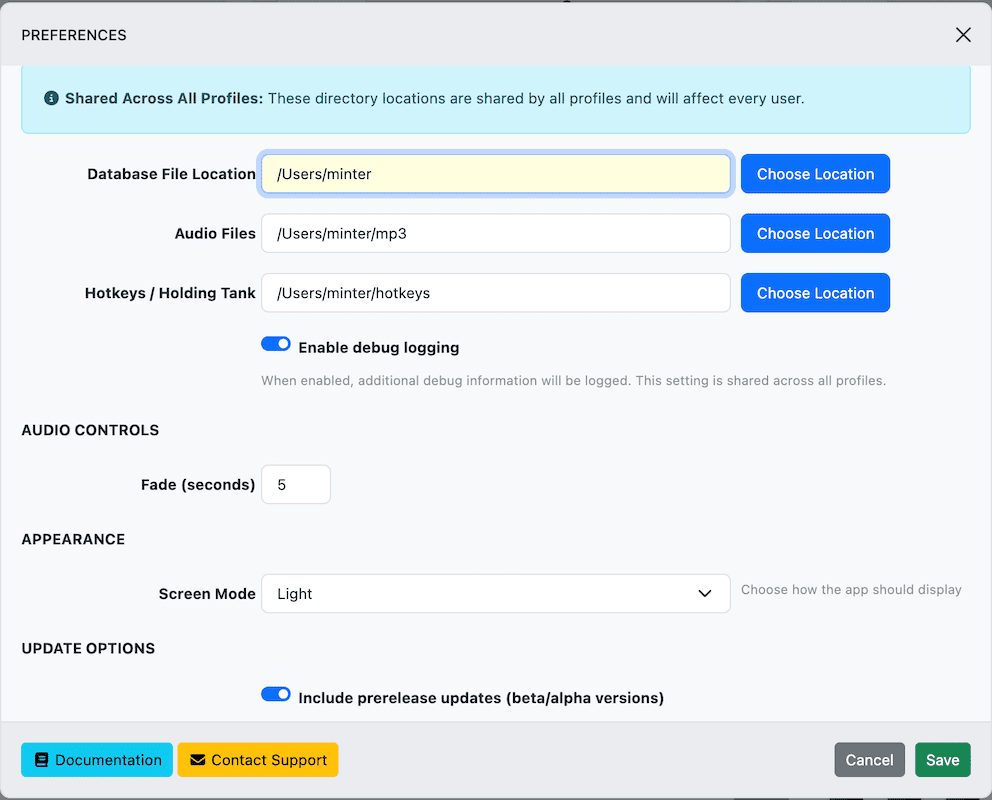
Data Locations
These settings are shared across all profiles. Changing them affects every profile.
| Setting | What It Does |
|---|---|
| Audio Files Directory | Where your audio files are stored. When you import songs, files are copied here. Set this before adding any songs. If you change it later, you’ll need to move your existing files manually. |
| Database File Location | Where the song database (mxvoice.db) lives. If you change this, copy the database file to the new location before restarting, or you’ll start with an empty library. |
| Hotkeys / Holding Tank Directory | The default directory for saving and loading .mrv (hotkey) and .hld (holding tank) files. |
Audio Controls
| Setting | What It Does |
|---|---|
| Fade (seconds) | How long audio takes to fade to silence when you stop with Shift+Esc. Default: 3 seconds. This setting is per-profile. |
Appearance
| Setting | Options |
|---|---|
| Screen Mode | Auto (default) — follows your system’s light/dark setting. Updates in real time when your OS switches themes. Light — always use the light theme. Dark — always use the dark theme. This setting is per-profile. |
Font Size
Adjust the font size of song listings in search results, hotkeys, and the holding tank from the View menu:
- Cmd/Ctrl+= — Increase font size
- Cmd/Ctrl+- — Decrease font size
The range is 5px to 25px (default: 11px). This setting is saved per-profile.
Advanced Options
| Setting | What It Does |
|---|---|
| Enable Debug Logging | Turns on detailed logging for troubleshooting. Logs are saved to daily log files and automatically pruned after 14 days. Use Help → Export Logs to share them with support. This setting is global (affects all profiles). |
| Prerelease Updates | When enabled, the auto-updater will also offer beta and alpha versions. Keep this off for a stable experience. This setting is per-profile. |
Global vs. Per-Profile Settings
| Setting | Scope |
|---|---|
| Audio Files Directory | Global (all profiles) |
| Database File Location | Global (all profiles) |
| Hotkeys / Holding Tank Directory | Global (all profiles) |
| Debug Logging | Global (all profiles) |
| Fade (seconds) | Per-profile |
| Screen Mode | Per-profile |
| Font Size | Per-profile |
| Prerelease Updates | Per-profile |