Overview
Mx. Voice automatically backs up your profile data at regular intervals. Each backup is a complete snapshot of your profile, including hotkey assignments, holding tank lists, and preferences. You can also create backups manually and restore from any previous backup.
All backup features are accessed from the Profile menu.
Automatic Backups
By default, Mx. Voice creates a backup every 30 minutes — but only if your profile has actually changed since the last backup. This keeps your backup history meaningful without creating unnecessary duplicates.
Automatic backups are enabled by default. You can configure the interval, retention limits, or disable them entirely in Backup Settings.
Creating a Manual Backup
- Go to Profile → Create Backup Now.
- Your current profile state is saved immediately.
- A confirmation message appears when the backup is complete.
Manual backups are useful before making major changes to your hotkey setup or holding tank configuration.
Restoring from a Backup
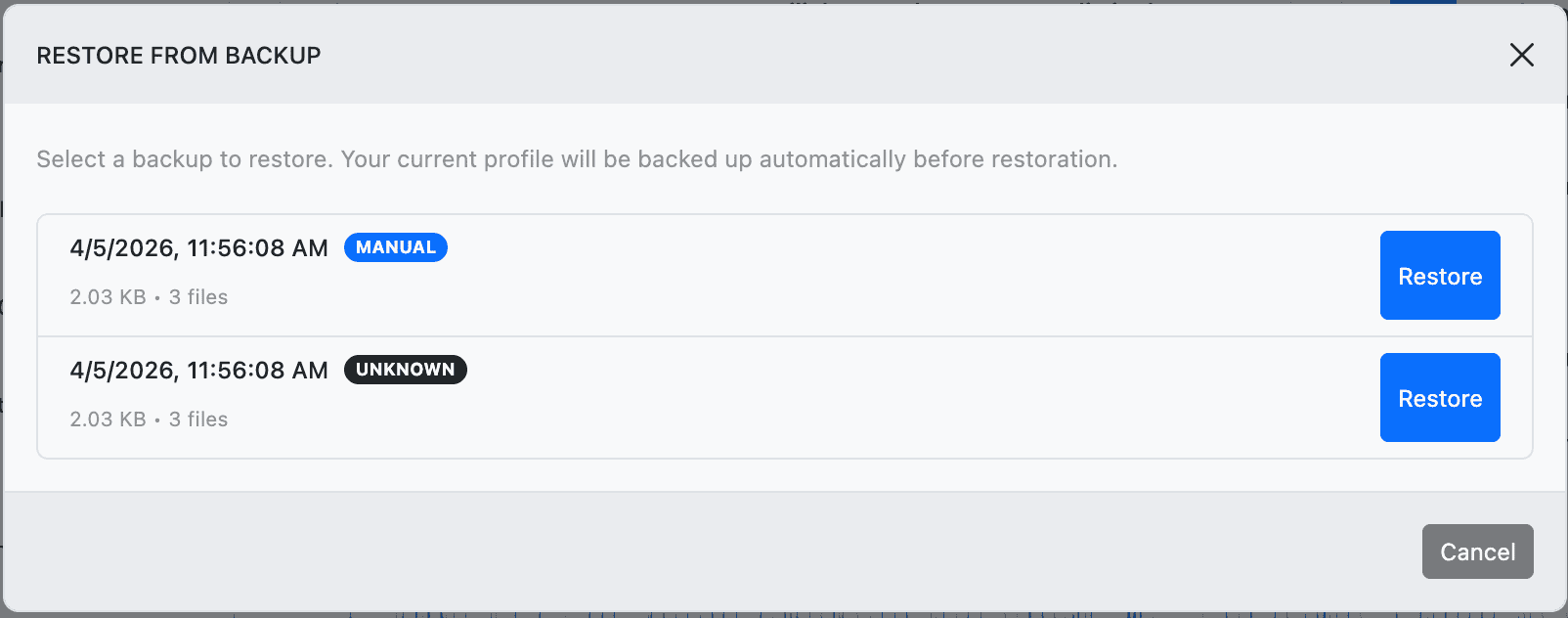
- Go to Profile → Restore from Backup…
- A dialog shows all available backups, sorted newest first. Each backup shows:
- Date and time
- Type badge — Manual, Auto, or Pre-restore
- Size and file count
- Click Restore next to the backup you want.
- Confirm the restore in the dialog.
- The application reloads with the restored profile data.
Safety net: Before any restore, Mx. Voice automatically creates a “pre-restore” backup of your current profile. If you don’t like the result, you can restore from the pre-restore backup to get back to where you were.
Backup Settings
Go to Profile → Backup Settings… to configure automatic backups.
| Setting | Options | Default |
|---|---|---|
| Enable automatic backups | On / Off | On |
| Backup interval | 15 min, 30 min, 1 hour, 2 hours, 6 hours, 12 hours, 24 hours | 30 minutes |
| Maximum backups to keep | 1–100 | 25 |
| Maximum backup age | 7 days, 14 days, 30 days, 60 days, 90 days, or Never delete | 30 days |
When both the count and age limits are reached, the oldest backups are removed first. Setting age to “Never delete” means only the count limit applies.
What Gets Backed Up
Each backup is a complete snapshot of your profile directory, including:
- Hotkey assignments (all 5 tabs)
- Holding tank lists (all 5 tabs)
- Tab names
- Profile-specific preferences
- UI state (playback settings, layout)
Backups do not include the song database or audio files. Those are shared across all profiles and are best protected using the Library Export feature.
Where Backups Are Stored
Backups are stored in your application data directory under profile-backups/, organized by profile name. Each backup is a timestamped folder. Mx. Voice manages cleanup automatically based on your retention settings.